


Table of Contents
Smart kitchen appliances have quickly moved from novelty items to essential features in modern homes, transforming how we cook, store food, and maintain convenience. Whether you crave hands-free meal prep, precise temperature control, or simply less kitchen stress, smart appliances are setting a new standard in home technology. This practical guide covers market trends, actionable upgrade steps, potential pitfalls, and the real-world impact of connected kitchen technology—without the hype.
Key Takeaways
- Smart kitchen appliances offer advanced connectivity, user-friendly controls, and the potential for energy savings, but come at higher upfront costs.
- The market for smart kitchen appliances is growing rapidly, expected to reach $32.7-68.64 billion by 2032, with features like Wi-Fi control and inventory tracking leading adoption.
- Not all smart appliances deliver quantifiable time or energy savings, and some users may face issues like interoperability or additional costs.
What Are Smart Kitchen Appliances and Why Upgrade?
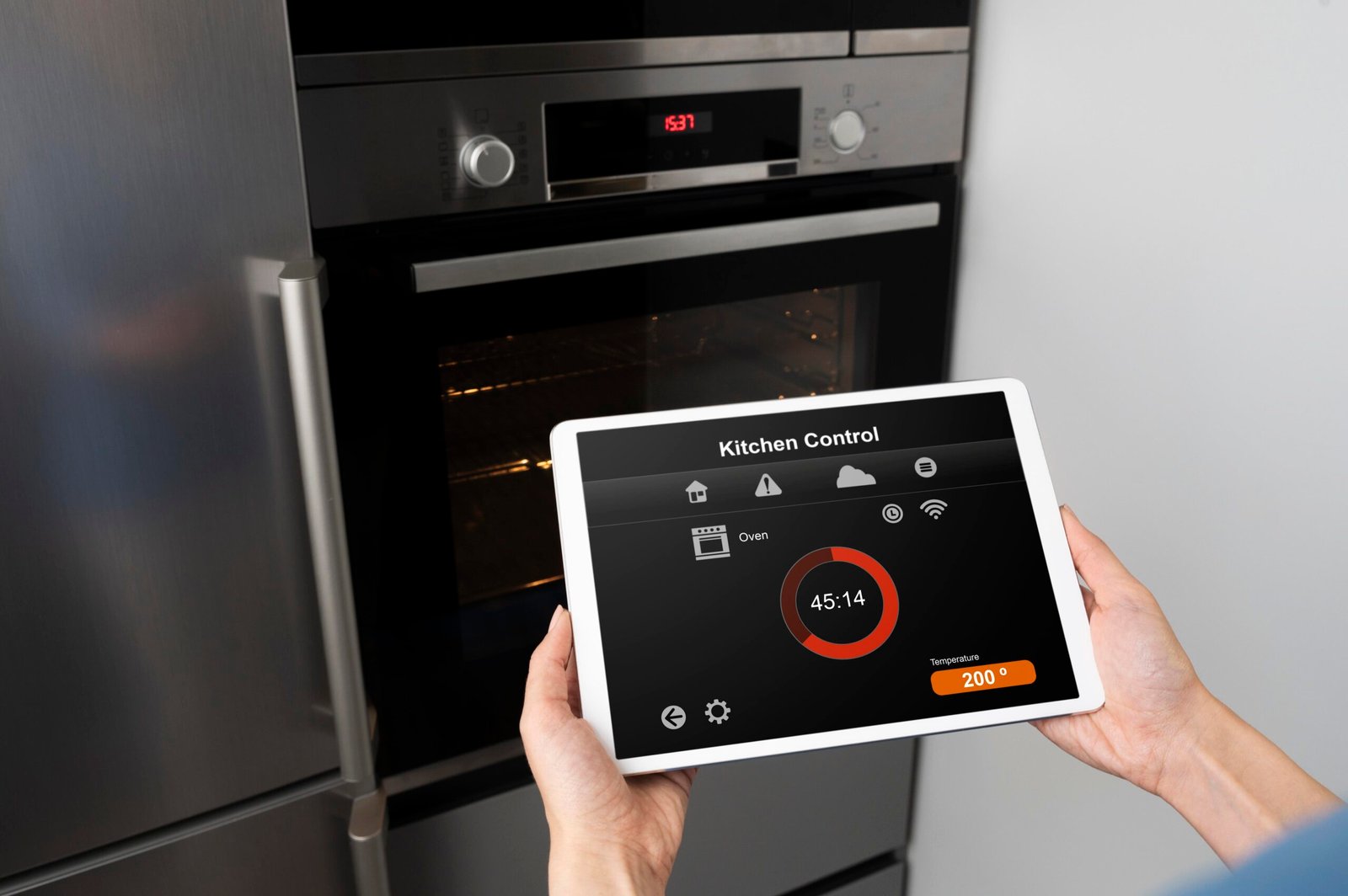
Smart kitchen appliances use wireless connectivity, automation, and integration with smart home systems to enhance cooking efficiency, safety, and convenience. In 2024, North America owns nearly half of the smart kitchen appliance market share, driven by fast-growing demand for smart refrigerators, ovens, dishwashers, and even smaller gadgets. According to market.us and Technavio, the global smart kitchen appliances market reached between $10.9 billion and $21.66 billion in 2024, with expected compound annual growth rates of 10 to 18.4% through 2034.
Wi-Fi connectivity dominates at 63.3%. The most popular smart kitchen appliances include refrigerators with inventory tracking, ovens with AI-assisted cooking, and cooktops that allow precision temperature adjustments from your phone. Beyond convenience, these devices promise energy efficiency, time savings, and a reduction in daily hassle, making them well-suited to smaller homes, tech-forward lifestyles, and anyone seeking to improve their at-home routines.
How to Choose and Set Up Smart Kitchen Appliances: Step-by-Step Guide
Ready to add smart kitchen appliances to your home? Use this step-by-step approach for maximum impact and minimal headaches.
- Assess Your Needs and Budget:
- Determine which kitchen tasks take the most time or cause the most frustration.
- List appliances you use daily—like your refrigerator, oven, or coffee maker.
- Compare smart appliance options for these categories.
- Set a realistic budget, knowing that smart devices carry higher purchase prices (often requiring hubs or subscriptions for full functionality).
- Research Must-Have Features:
- Prioritize appliances that offer touchscreen controls, Wi-Fi/Bluetooth compatibility, voice control, energy monitoring, and alerts/reminders.
- Consider smart refrigerators for inventory management, smart ovens for remote preheating and recipe integration, and smart dishwashers for maintenance alerts.
- Look for integrations with your existing ecosystem—such as Google Assistant, Alexa, or Apple HomeKit.
- Check Reviews and Reliability:
- Read current user experiences on appliance brand reliability and app connectivity.
- While one-off bugs are common, look for patterns in negative reviews, such as connectivity dropouts or calendar/scheduling issues (note that no critical negative trends were reported in 2024 research sources).
- Plan for Installation and Connectivity:
- Evaluate your Wi-Fi signal strength in the kitchen area using a phone or laptop.
- Assign dedicated power outlets for each device, avoiding surge-prone extension cords.
- Schedule professional installation if needed for wall ovens, cooktops, or built-in refrigerators.
- Configure Apps and Automations:
- Download companion apps for your appliances and create user accounts.
- Connect devices to your primary Wi-Fi network, following manufacturer instructions for pairing and smart home integration.
- Set up automations—for example, have your oven preheat when you leave work, or receive an alert if the refrigerator door is left open.
- Monitor Usage and Optimize:
- Track actual time and energy saved using built-in analytics if available.
- Note which automations and features you use consistently and disable those that add complexity or interruptions.
- Schedule Maintenance and Firmware Updates:
- Activate maintenance reminders and check for regular firmware or security updates.
- If your appliance supports self-diagnostics, run these checks quarterly.
If optimizing a small kitchen, you might also want to explore modern small kitchen design ideas to maximize appliance placement while keeping the space functional.
Advanced Analysis & Common Pitfalls
Even as the smart kitchen appliances market grows quickly—driven by features like AI-powered cooking and real-time inventory tracking—it’s important to be realistic about potential pitfalls:
- Higher Initial and Ongoing Costs: Smart kitchen appliances consistently cost more than traditional models. Apps and extra hub devices frequently add subscription or upgrade fees (though specific prices vary and are not always disclosed by brands).
- Interoperability Gaps: Most brands do not guarantee seamless integration with competitor systems. For multi-brand kitchens, managing separate apps or dashboards can cause confusion—combine with third-party smart platforms for best results.
- Limited Real-World Time or Energy Savings: While sensors and analytics promise efficiency, there are no reliable, quantifiable savings benchmarks for kWh usage or time reduction as of 2024. Savings depend on usage patterns, appliance size, and how consistently users leverage smart features (source).
- No Reported Major Security Issues—But Watch for Updates: No recent large-scale IoT security or privacy breaches specific to kitchen appliances have been reported. Still, it’s vital to apply all firmware updates and use strong Wi-Fi passwords for your smart home Wi-Fi.
- Potential for Feature Overload: With inventory tracking, recipe management, and automated scheduling, some users find too many app notifications or complex interfaces overwhelming. Prioritize simplicity and disable unused functions.
Still curious how some of the most popular features stack up? Here is a realistic comparison:
| Feature | Common in Smart Appliances | Traditional Appliances | Potential Downsides |
|---|---|---|---|
| Wi-Fi/Bluetooth Connectivity | Remote control, notifications, third-party voice activation | N/A | Requires stable Internet; can cause setup frustration |
| AI Cooking Assistance | Recipe selection, automatic adjustment of times/temps | Manual operation only | May be inaccurate for complex recipes; software bugs possible |
| Inventory Management | Automated alerts for low groceries, track expiry dates | User manually checks food | Needs manual updating for best accuracy |
| Maintenance & Self-Diagnostics | Automatic alerts for filter changes, errors | Usually just indicator lights | May need cloud account; reminders can be frequent |
| Energy Efficiency | Sensor driven, schedule optimization | Manual energy settings | Limited data on real savings; not always better than high-end non-smart models |
If streamlining your kitchen feels overwhelming, combining smart appliances with modern kitchen organization solutions can help maintain both efficiency and order.

Conclusion
Smart kitchen appliances unlock a new era of connected cooking, promising home chefs greater convenience through remote controls, voice activation, and intelligent automation. While these features come with higher up-front investment and require more deliberate integration, they make it possible to optimize your kitchen for both ease and energy mindfulness. Before upgrading, weigh real-world needs against potential complexity and ongoing costs. If you want maximum flexibility, remember to combine devices that integrate well with each other, and always keep security and usability at the forefront when configuring your appliances.
Ready to modernize your kitchen? Explore trending smart kitchen appliances and see how connected technology could elevate your daily routine. For more ways to organize and enhance your home, browse our guides on space saving ideas, modern kitchen layouts, and compact home solutions to find inspiration that goes beyond appliances alone. The world of smart kitchen appliances is just getting started—take the leap with confidence and strategy.
Frequently Asked Questions
Are smart kitchen appliances worth the investment for average homes?
For most tech-forward households and those seeking added convenience, smart kitchen appliances are worth considering. They can simplify daily routines, but the best value comes when features align with real needs and are used regularly. Consider your kitchen workflow before investing.
Do smart kitchen appliances save energy compared to traditional models?
Some smart appliances use sensors and scheduling to reduce energy waste, but as of 2024, there are no published industry-wide benchmarks on exact savings. Real results depend on appliance use and whether features like remote scheduling are actively used.
What about IoT security and data privacy—should I be concerned?
No major security or privacy breaches for smart kitchen appliances were reported in 2024 research. Still, use strong Wi-Fi passwords, keep device firmware updated, and avoid using the same password across accounts for peace of mind.
Are there any subscription fees for smart kitchen gadget companion apps?
Some brands charge extra for advanced app features or cloud integrations, while basic remote control may be included. Always check app store listings and product documentation to avoid surprise costs.
Can I automate smart kitchen appliances to work together with other smart home devices?
Yes, most leading brands support integration with Google Home, Alexa, or Apple HomeKit. Using a third-party platform lets you automate tasks—like starting the oven and adjusting kitchen lights together—but check compatibility before purchasing multiple brands.

[…] energy efficient kitchen tools like multi-cookers and air fryers for bonus savings. (Check out some smart kitchen appliances for more real-life […]
[…] fryers, immersion blenders, or food processors. While certain gadgets rise in popularity (see the smart kitchen appliances guide for examples), studies show there’s no single tool that’s exploded in sales due to TikTok in […]
[…] to get the most from your connected kitchen? Check out our smart kitchen appliances guide for in-depth tips and unbiased product […]
[…] Research compatible platforms. Evaluate available assistants (e.g., those compatible with Alexa, Google Home, or Siri), check if your appliances connect, and look for options with nutritional, voice, or energy management features. For advanced automation, review solutions similar to those found in our smart kitchen appliances guide. […]